




Bring Order To Chaos.
And stop numbering your threads manually.
Add numbering with one click.
Delight your followers on 𝕏 with automatically numbered threads.
Meet The Threadinator🧵™
Integrates natively with 𝕏.
The missing feature that you always wanted for your threads.
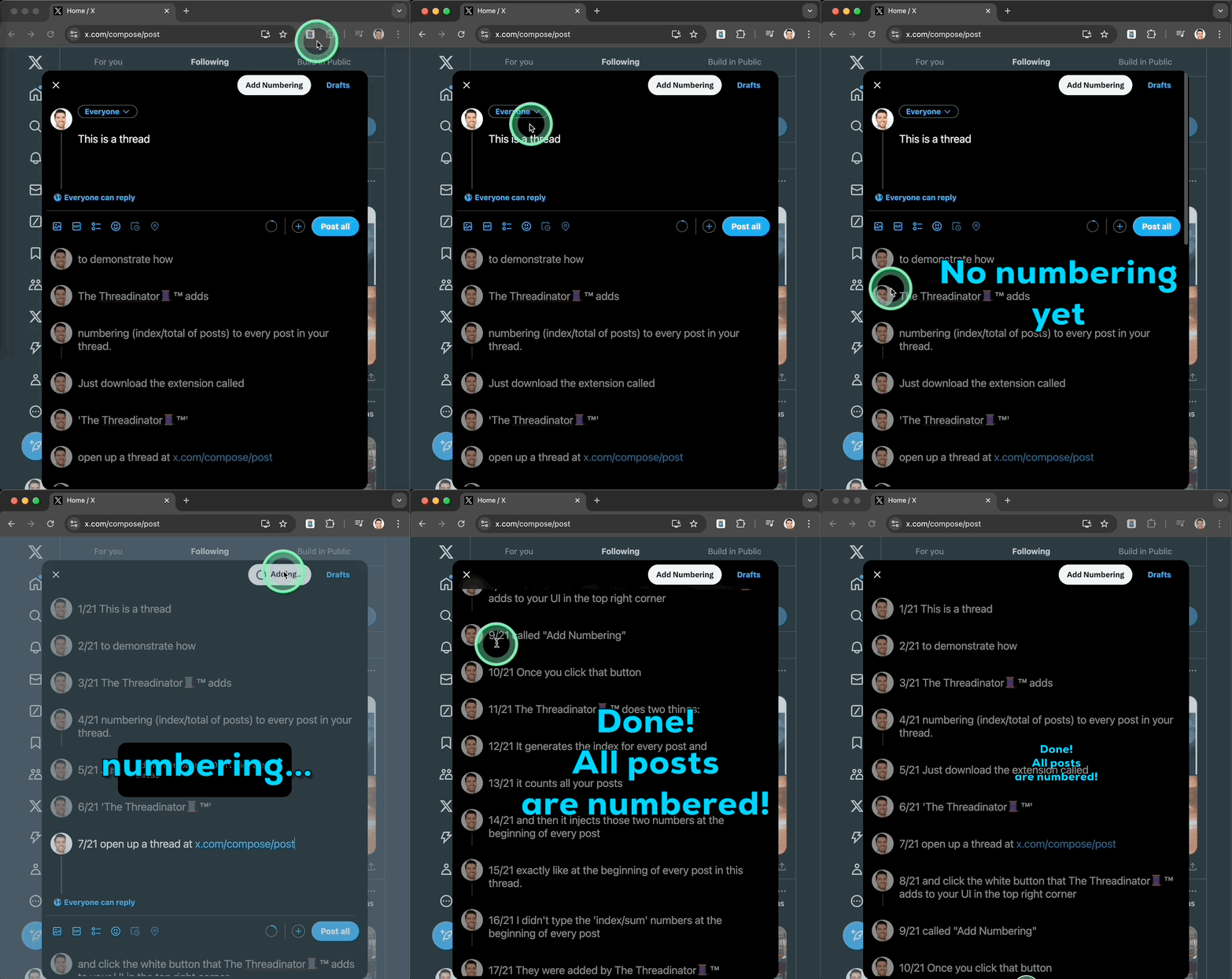
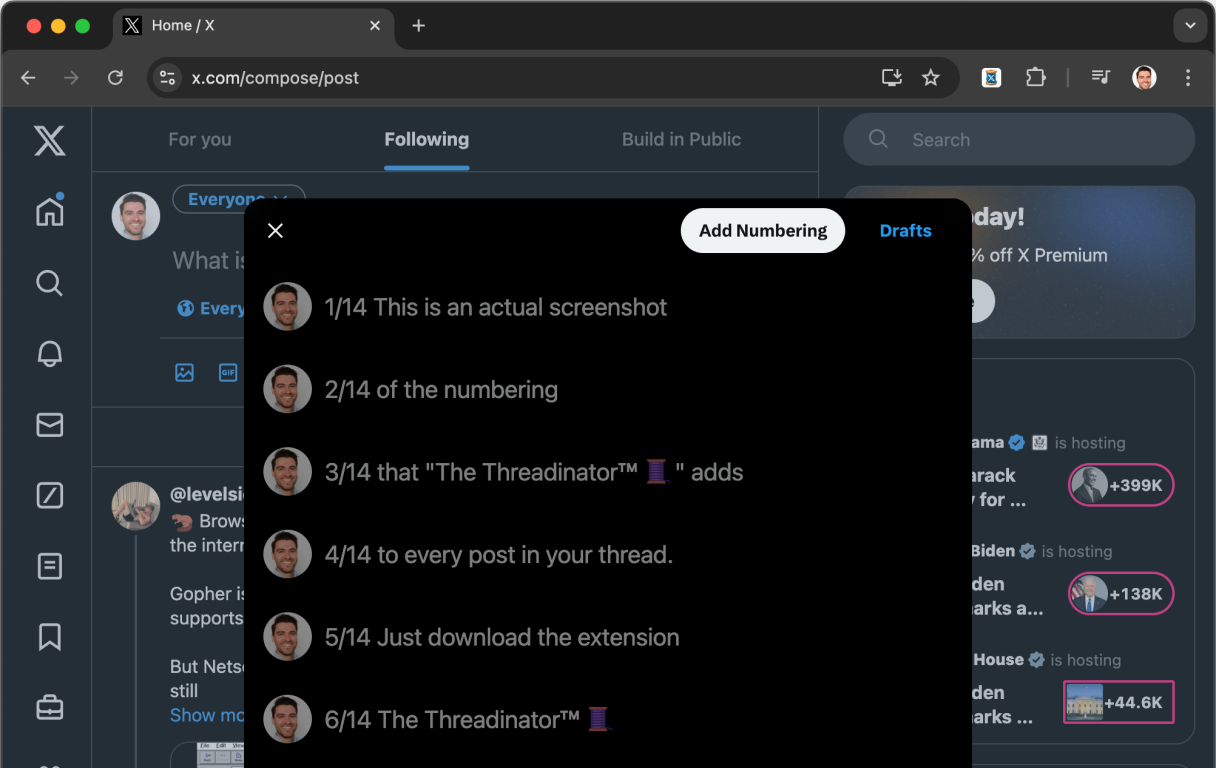
The extension adds a nice looking button called "Add Numbering" to the top of the thread UI. You'll think that it's always been there.
When you click that button, the extension adds two numbers: the index of the post and the total number of posts in the thread. So, if you have a thread with 14 posts, then the extension will add "1/14" at the beginning of your first post. And it will add "2/14" to the start of your second post. And so on.
The extension injects exactly the format of "number/number[BLANK_SPACE]". This is important to know because if you delete the blank space that's injected after the second number, then the extension won't be able to detect the numbering on the next run. Make sure to leave the format of "number/number[BLANK_SPACE]" as is.
More Features

Works for any post
Text, images, gifs etc. - it doesn't matter. The numbering will be added to all of them.
Exclude first post
You can choose to exclude the first post from numbering and start numbering onwards.
Free Forever Plan
You can use the extension for free forever. No credit card required. Only restriction is that you can only number your first three posts.
Smart re-numbering
If you add or remove posts, no matter where in your thread, and click the button again, the extension will re-number all the posts correctly.
Fair pricing
To upgrade to the UNLIMITED plan it's a ONE-TIME payment for a LIFETIME license. No recurring fees.